Showing posts with label Networking Tools. Show all posts

Saturday, September 5, 2009

Paragon Net Burner 2.0


The image “http://pixhost.ws/avaxhome/10/28/000e2810_medium.jpeg” cannot be displayed, because it contains errors.
Paragon Net Burner 2.0
Paragon Net Burner is a unique utility to “share” a CD/DVD/BD burner over the network and remotely make a CD/DVD/BD recordable device available for use by other networked computers. It gives users the ability to record CDs/DVDs/BDs without having a local burner device.

This solution is extremely helpful for notebook users without CD/DVD/BD burning devices onboard. Sharing a HD-DVD/BD device across the network also reduces equipment costs.
Key Benefits of Paragon Net Burner:
Easy-to-use even for inexperienced users
User-friendly wizards will help you to mount (or remove) a remote optical drive in only a few clicks. Access the mounted drives no differently than your local devices.
Extremely useful for notebooks without optical drive
Paragon Net Burner is a great solution for notebook users who have no optical drive onboard (subnotebooks, netbooks, ultraportable laptops). Mount a CD/DVD/BD drive located on another machine in your local network and grab, record or master CDs/DVDs/BDs without having these devices locally. Net Burner is must-have for home users who have both subnotebook(s) and PCs – now you can forget about tiresome transferring of files from one PC to another just so you can burn them.
With Net Burner, if you take your subnotebook on a business trip, you can burn CD/DVD/BD discs using another PC.
Cost-effective for office network, internet-café etc.
With Paragon Net Burner there is no need to have an expensive HD-DVD/BD drive on every machine in the office, internet-café or any other network. It is enough to have only one device of this type, and share it all over the network.
Ideal for backing up data to a remote CD/DVD/BD
Paragon Net Burner is an excellent addition to the Paragon’s products (such as Hard Disk Manager, Drive Backup etc.) that lets you back up data from your PCs, workstations or servers to a remote CD/DVD/BD.
Compatible with the most of burning software and hardware
Paragon Net Burner supports a wide variety of burning software and hardware. It is compatible with 32-bit and 64-bit Microsoft Windows 2000/XP/2003/2008/Vista, so you can use Windows’ built-in burning software.
To get maximum burning features, see our latest burning solution, Paragon Easy CD/DVD Recorder 9.0.
If you already use third-party software and are satisfied with it, you can continue using it together with Net Burner.

Download :

Friday, September 4, 2009

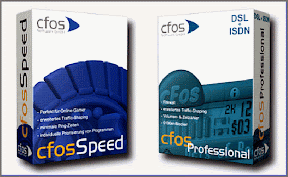
cFosSpeed 4.53 Build 1537 Beta


http://lh6.ggpht.com/_tkF9hGOK7k8/SUsKU3mHzbI/AAAAAAAAGU8/xy4GVXpHwtQ/s288/cFosSpeed.gif
cFosSpeed 4.53 Build 1537 Beta
cFosSpeed is a Traffic Shaping driver for DSL modems and routers.
Internet acceleration and advanced Traffic Shaping for: USB DSL Modems, Routers and LAN DSL Modems.

Here are some key features of “cFosSpeed”:
· Perfect for online gamers!
· Extended Traffic Shaping for DSL modems, cable modems & routers
· Highly responsive when used with online games and filesharing (P2P) like eMule, Kazaa orBittorrent
· Minimal ping times for streaming audio & video, Voice over IP (VoIP), Internet Radio, etc.
· Individual program prioritization
· Free configurable Prioritization
· Self-calibrating
· Layer-7 Analysis
· Firewall
· Automatic router detection
· Optimal Dial-Up connections - VPN - WLAN - MTU-Optimization
· Multi User Features - broadband limits

Wednesday, September 2, 2009

Orion NetFlow Traffic Analyzer 2.1


http://i28.tinypic.com/2rn91c2.jpg
Orion NetFlow Traffic Analyzer 2.1 
Orion NetFlow Traffic Analyzer provides a new level of visibility into network traffic behavior and trends. By leveraging Cisco’s NetFlow protocol to extract data from routers, NetFlow Traffic Analyzer provides an in-depth view into which users and applications are consuming the most bandwidth.

NetFlow Traffic Analyzer converts that data into charts and tables providing network engineers with a easy way to identify and isolate the cause and source of network problems, as well as provide historical performance information to help plan for future growth. Pie charts show the distribution of bandwidth across different types of traffic (e.g., HTTP, FTP, VoIP) and across different users. Line charts show the usage patterns over time. NetFlow Traffic Analyzer can also identify the source of external traffic inbound to the corporate network.
Download :

cFosSpeed 4.53 Build 1537 Beta


http://lh6.ggpht.com/_tkF9hGOK7k8/SUsKU3mHzbI/AAAAAAAAGU8/xy4GVXpHwtQ/s288/cFosSpeed.gif
cFosSpeed 4.53 Build 1537 Beta
cFosSpeed is a Traffic Shaping driver for DSL modems and routers.
Internet acceleration and advanced Traffic Shaping for: USB DSL Modems, Routers and LAN DSL Modems.

Here are some key features of “cFosSpeed”:
· Perfect for online gamers!
· Extended Traffic Shaping for DSL modems, cable modems & routers
· Highly responsive when used with online games and filesharing (P2P) like eMule, Kazaa orBittorrent
· Minimal ping times for streaming audio & video, Voice over IP (VoIP), Internet Radio, etc.
· Individual program prioritization
· Free configurable Prioritization
· Self-calibrating
· Layer-7 Analysis
· Firewall
· Automatic router detection
· Optimal Dial-Up connections - VPN - WLAN - MTU-Optimization
· Multi User Features - broadband limits

Wednesday, July 8, 2009

TEAMVIEWER 4.0 BUILD 5518


TeamViewer 4.0 Build 5518
INFO : www.teamviewer.com


Download :
http://depositfiles.com/files/qj0gr1ppj

ULTRAVNC 1.0.5.3


UltraVNC is an easy to use sotware that can display the screen of another computer (via internet or network) on your own screen. The program allows you to use your mouse and keyboard to control the other PC remotely. It means that you can work on a remote computer, as if you were sitting in front of it, right from your current location. If you provide computer support, you can easy access your customerґs computers from anywhere in the world and resolve helpdesk issues remotely ! Your customers donґt have to pre-install software or execute complex procedures to get remote helpdesk support. UltraVNC allows you to remotely control a computer over any TCP/IP connection. UltraVNC emulates the destination computer to make it look as if you were in front of it.

DOWNLOAD :


or


or


LAPLINK GOLD 14


With Laplink Gold 2008, you can quickly and easily connect your PCs for remote control, file transfer, and synchronization - no matter where you are; no matter where your PCs are.
Combining fast remote control, automatic connections through firewalls, and a full complement of remote support tools, Laplink Gold 2008 is the product of choice for personal users and IT professionals around the world. Laplink Gold 2008 is easy to set up and use. It works across all common Windows operating systems, and even connects automatically through firewalls and proxy servers. For any additional assistance Laplink provides a free tech support call, and remote help desk.

Use Laplink Gold 2008 to:
* Automatically back up or synchronize files and folders, even scheduled and unattended
* Quickly transfer files of any size from one PC to another
* Remotely control, support, and maintain your PCs from anywhere - even remotely restart
* And much, much more


DOWNLOAD LapLink GOLD 14

CYBER CAFE PRO 5.250


CyberCafePro internet cafe software is designed for Cyber Cafe owners of who need to control, charge for, and report on the use of computers for
gaming, Internet access or any program usage for up to 200 computers. Purchase package includes Server and Client software. CCPro easily block local drives or any other window that you wish your customer not to have access to. Customize all programs, buttons, backgrounds, colors, sounds, and rates for the client interface, as well as languages for both the server and the client software (Language Module Editor available to create your own language). A Print Manager add-on is now available. HTML sales reports can be generated, viewed, exported, and printed from any browser. All employee activities and sales are logged to help protect your profits and the integrity of your cafe.

DOWNLOAD Cyber Cafe Pro 5.250

REALVNC 4.3.2 ENTERPRISE EDITION WITH KEYGEN

RealVNC is a server and client application for the Virtual Network Computing (VNC) protocol to control another computer's screen remotely. RealVNC is produced by the company RealVNC Ltd., which was founded by the same AT&T team that created the original VNC program. RealVNC can be seen as a continuation of the original VNC program. RealVNC runs on Windows, Mac OS X (Enterprise edition only), and many Unix-like operating systems (Free & Enterprise editions only). There is also a RealVNC client which runs on the Java platform. There are beta versions of the Enterprise edition for Pocket PC and 'VNC-over-HTTP' tunnelling for Windows and Linux.